


- Device Lifecycle Services
- Apple


Emma Mak • Staff Writer
When it comes to enterprise IT, the role of Mac in business environments sparks a lot of discussion.
Employee demand for Mac continues to rise, driven by performance, familiarity, and user experience. At the same time, IT teams are tasked with ensuring security, scalability, and operational efficiency across increasingly complex environments.
In our recent survey of 1,000+ IT leaders, application compatibility emerged as a top consideration when introducing Mac into the enterprise, followed by network configuration (62%), collaboration tools (62%) and Active Directory or identity management integration (60%).
These concerns are valid — but they’re also easily addressed with modern tools, platforms, and lifecycle practices.
Let’s take a closer look at the most common considerations IT leaders evaluate when adopting Mac at scale, and how organizations are successfully addressing them today.
Lifecycle Management Across Mac and PC
Managing a mixed-device environment can appear complex, especially if IT teams lack experience with Apple’s management tools (like Jamf or Apple Business Manager). Provisioning, monitoring, ongoing support, and secure retirement all need to work seamlessly, regardless of device type.
Platforms like Microsoft Intune and Jamf provide unified endpoint management, allowing IT teams to automate provisioning, enforce policies, monitor compliance, and support users across both Mac and PC fleets.
Compucom’s Full Lifecycle Observability (FLO) Framework consolidates device data, streamlines support, and ensures every device — Mac or PC — is tracked, managed, and retired securely. With zero-touch deployment, real-time analytics, and proactive support, Mac can be integrated into existing IT processes without adding complexity or overhead.
Compucom’s FLO Framework revolutionizes IT operations by transforming millions of data points into actionable insights. With AI, machine learning, and automation at its core, FLO empowers IT teams to monitor device health, track user experience, and automate service improvements — all while maintaining security and compliance.
“We’ve built what I’ve always wanted myself as a CIO — a comprehensive, accurate view of your IT estate.”
Mike Flanagan, Compucom CIO/CTO
Security and Compliance at Enterprise Scale
Security and compliance remain top priorities for IT leaders, especially in regulated industries or highly distributed environments. The ability to enforce consistent policies and maintain visibility across all devices is essential.
Security is foundational to the Mac experience. Modern Mac devices feature hardware-based encryption, Secure Enclave, FileVault, and System Integrity Protection, providing robust protection against threats. Enterprise IT leaders overwhelmingly agree — 73% rate Mac as more secure than PC, and 78% report fewer security incidents with Mac devices.
Tools like Intune and Jamf allow IT teams to enforce security policies, monitor device health, and respond quickly to threats, ensuring Mac is a safe choice for any business environment.
Compucom’s lifecycle security approach further strengthens this foundation, integrating third-party tools, enforcing policies, and monitoring compliance in real time. Our Full Lifecycle Observability (FLO) Framework gives IT teams “superpowers” to boost asset intelligence and security and compliance so that you’ll know where your assets are, and that they’re adhering to security policies and best practices to keep your business secure.
Application Compatibility and Infrastructure Integration
Enterprise IT environments are often built around Windows-based systems, applications, and management tools. Ensuring seamless integration across applications, networks, and identity platforms is a key consideration when introducing any new device.
Modern macOS supports native compatibility with Microsoft 365, Zoom, Salesforce, and other business-critical apps. For specialized workflows, solutions like virtualization and cloud-based platforms further expand compatibility. With ongoing improvements in enterprise software, Mac can seamlessly support the tools your teams rely on every day.
Solutions like Apple Business Manager, Microsoft Intune, and Jamf enable zero-touch deployment, automated provisioning, and unified endpoint management. Mac integrates smoothly with identity providers (such as Azure AD), network configurations, and collaboration platforms. With best practices for onboarding, configuration, and continuous monitoring, Mac devices can be seamlessly managed alongside PCs, eliminating silos and simplifying IT operations.
90% of Compucom users report no issues using corporate applications on Mac, and 8 in 10 find collaboration tools like Teams and Outlook easy to use.
Device Fit Across Enterprise Roles
Mac was traditionally seen as a tool for creative professionals, not for general business use, but that perception no longer reflects how organizations operate today.
Employee choice programs (CYOD/BYOD) are on the rise, with 90% of organizations now offering PC vs. Mac options. In Compucom’s internal survey, 43% or associates would choose a Mac as their primary work device, and 64% use Apple products personally. This widespread familiarity with Apple’s ecosystems reduces onboarding friction and boosts productivity across the board. Mac is now a strategic asset for every department, not just the creative ones.
Total Cost of Ownership and Long-Term Value
According to Forrester, Mac costs $547 less per device than a PC over five years, thanks to reduced IT overhead, fewer support tickets, and higher residual value. Cisco found that Mac requires 33% fewer IT admins to support, and Compucom’s field data shows Mac laptops generate four times fewer support tickets than non-Mac devices. The result? Lower operational costs and less annoyed, more productive employees.
The Bottom Line
With proven security, seamless integration, strong employee preference, and lower total cost of ownership, Mac has become a strategic asset for modern organizations.
When paired with the right lifecycle management, visibility, and security frameworks, Mac enables IT leaders to deliver a better experience for users while maintaining control, compliance, and operational excellence.
Compucom helps organizations maximize the value of Mac across every stage of the lifecycle — ensuring IT teams get the visibility they need and users get the experience they expect.
Ready to explore what Mac can do for your enterprise?
Leverage our experts and discover workshops, assessments, and pilot programs to start your journey.
https://www.compucom.com/mac-in-the-enterprise/
RecenT
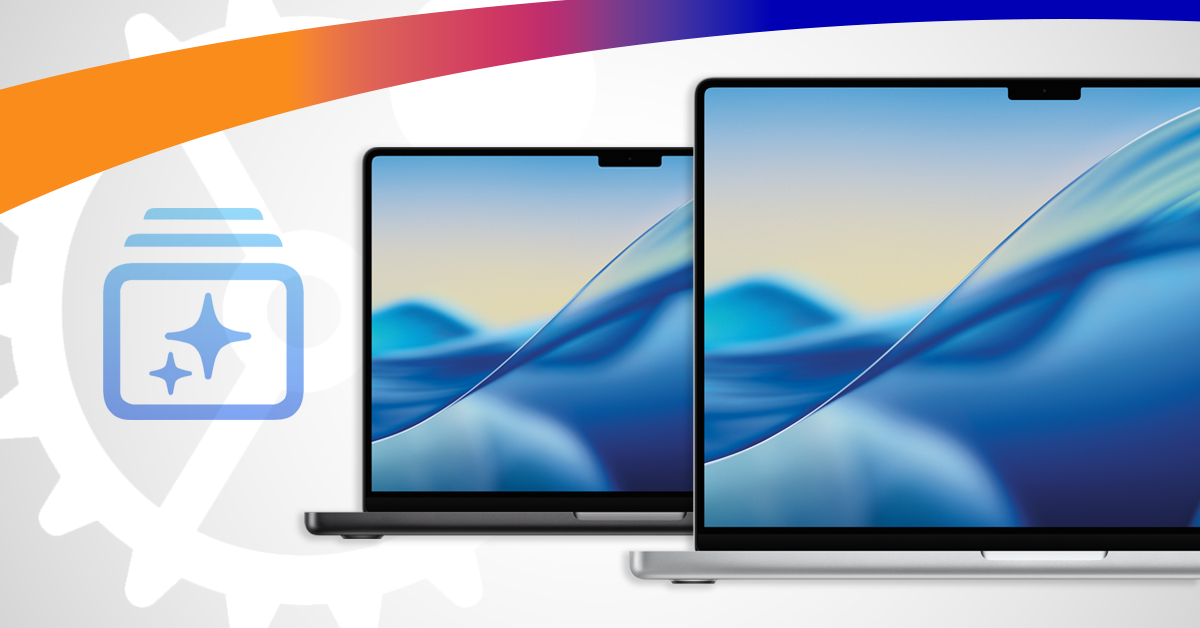
The Mac Management Playbook: 8 Steps to Deployment at Scale
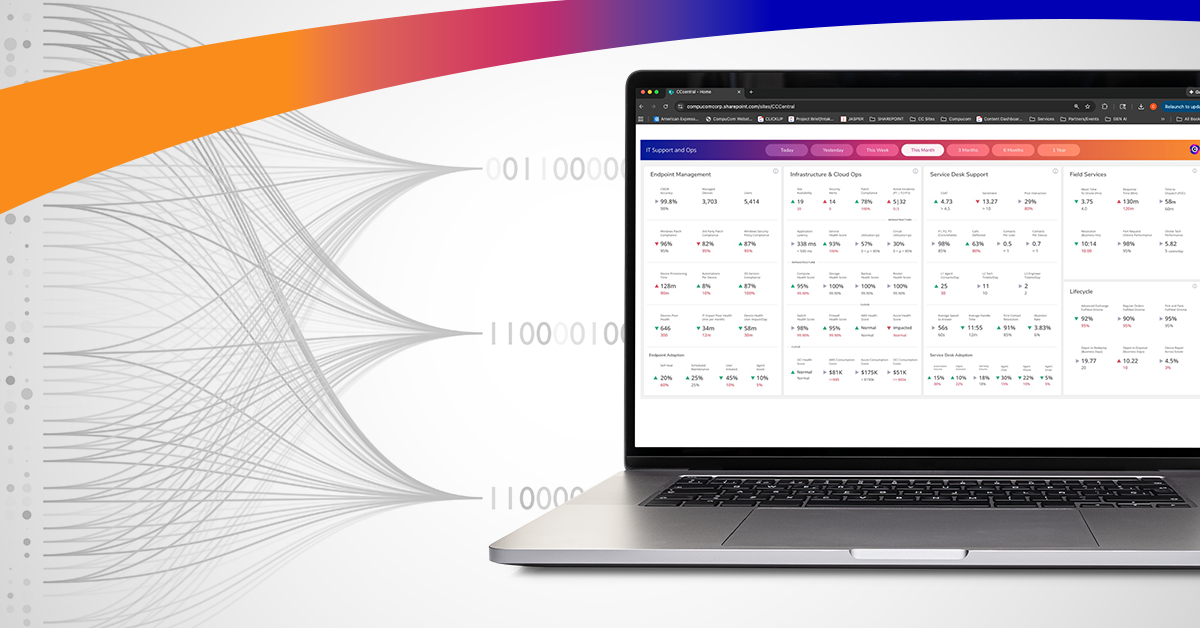
Full Lifecycle, Full Visibility: Maximizing the Value of Mac in the Enterprise
Mac in the Enterprise — Real Considerations for IT Leaders

Maturity Assessments Set a Clear Path to IT Modernization

Opportunity in Uncertainty: Leveraging Data for Fearless Decision-Making

Opportunity in Uncertainty: Turning 6 Top IT Challenges into Strategic Advantages
TOPICS
Mac in the Enterprise — Real Considerations for IT Leaders
- Device Lifecycle Services
- Apple
Emma Mak • Staff Writer
When it comes to enterprise IT, the role of Mac in business environments sparks a lot of discussion.
Employee demand for Mac continues to rise, driven by performance, familiarity, and user experience. At the same time, IT teams are tasked with ensuring security, scalability, and operational efficiency across increasingly complex environments.
In our recent survey of 1,000+ IT leaders, application compatibility emerged as a top consideration when introducing Mac into the enterprise, followed by network configuration (62%), collaboration tools (62%) and Active Directory or identity management integration (60%).
These concerns are valid — but they’re also easily addressed with modern tools, platforms, and lifecycle practices.
Let’s take a closer look at the most common considerations IT leaders evaluate when adopting Mac at scale, and how organizations are successfully addressing them today.
Lifecycle Management Across Mac and PC
Managing a mixed-device environment can appear complex, especially if IT teams lack experience with Apple’s management tools (like Jamf or Apple Business Manager). Provisioning, monitoring, ongoing support, and secure retirement all need to work seamlessly, regardless of device type.
Platforms like Microsoft Intune and Jamf provide unified endpoint management, allowing IT teams to automate provisioning, enforce policies, monitor compliance, and support users across both Mac and PC fleets.
Compucom’s Full Lifecycle Observability (FLO) Framework consolidates device data, streamlines support, and ensures every device — Mac or PC — is tracked, managed, and retired securely. With zero-touch deployment, real-time analytics, and proactive support, Mac can be integrated into existing IT processes without adding complexity or overhead.
Compucom’s FLO Framework revolutionizes IT operations by transforming millions of data points into actionable insights. With AI, machine learning, and automation at its core, FLO empowers IT teams to monitor device health, track user experience, and automate service improvements — all while maintaining security and compliance.
“We’ve built what I’ve always wanted myself as a CIO — a comprehensive, accurate view of your IT estate.”
Mike Flanagan, Compucom CIO/CTO
Security and Compliance at Enterprise Scale
Security and compliance remain top priorities for IT leaders, especially in regulated industries or highly distributed environments. The ability to enforce consistent policies and maintain visibility across all devices is essential.
Security is foundational to the Mac experience. Modern Mac devices feature hardware-based encryption, Secure Enclave, FileVault, and System Integrity Protection, providing robust protection against threats. Enterprise IT leaders overwhelmingly agree — 73% rate Mac as more secure than PC, and 78% report fewer security incidents with Mac devices.
Tools like Intune and Jamf allow IT teams to enforce security policies, monitor device health, and respond quickly to threats, ensuring Mac is a safe choice for any business environment.
Compucom’s lifecycle security approach further strengthens this foundation, integrating third-party tools, enforcing policies, and monitoring compliance in real time. Our Full Lifecycle Observability (FLO) Framework gives IT teams “superpowers” to boost asset intelligence and security and compliance so that you’ll know where your assets are, and that they’re adhering to security policies and best practices to keep your business secure.
Application Compatibility and Infrastructure Integration
Enterprise IT environments are often built around Windows-based systems, applications, and management tools. Ensuring seamless integration across applications, networks, and identity platforms is a key consideration when introducing any new device.
Modern macOS supports native compatibility with Microsoft 365, Zoom, Salesforce, and other business-critical apps. For specialized workflows, solutions like virtualization and cloud-based platforms further expand compatibility. With ongoing improvements in enterprise software, Mac can seamlessly support the tools your teams rely on every day.
Solutions like Apple Business Manager, Microsoft Intune, and Jamf enable zero-touch deployment, automated provisioning, and unified endpoint management. Mac integrates smoothly with identity providers (such as Azure AD), network configurations, and collaboration platforms. With best practices for onboarding, configuration, and continuous monitoring, Mac devices can be seamlessly managed alongside PCs, eliminating silos and simplifying IT operations.
90% of Compucom users report no issues using corporate applications on Mac, and 8 in 10 find collaboration tools like Teams and Outlook easy to use.
Device Fit Across Enterprise Roles
Mac was traditionally seen as a tool for creative professionals, not for general business use, but that perception no longer reflects how organizations operate today.
Employee choice programs (CYOD/BYOD) are on the rise, with 90% of organizations now offering PC vs. Mac options. In Compucom’s internal survey, 43% or associates would choose a Mac as their primary work device, and 64% use Apple products personally. This widespread familiarity with Apple’s ecosystems reduces onboarding friction and boosts productivity across the board. Mac is now a strategic asset for every department, not just the creative ones.
Total Cost of Ownership and Long-Term Value
According to Forrester, Mac costs $547 less per device than a PC over five years, thanks to reduced IT overhead, fewer support tickets, and higher residual value. Cisco found that Mac requires 33% fewer IT admins to support, and Compucom’s field data shows Mac laptops generate four times fewer support tickets than non-Mac devices. The result? Lower operational costs and less annoyed, more productive employees.
The Bottom Line
With proven security, seamless integration, strong employee preference, and lower total cost of ownership, Mac has become a strategic asset for modern organizations.
When paired with the right lifecycle management, visibility, and security frameworks, Mac enables IT leaders to deliver a better experience for users while maintaining control, compliance, and operational excellence.
Compucom helps organizations maximize the value of Mac across every stage of the lifecycle — ensuring IT teams get the visibility they need and users get the experience they expect.
Ready to explore what Mac can do for your enterprise?
Leverage our experts and discover workshops, assessments, and pilot programs to start your journey.
https://www.compucom.com/mac-in-the-enterprise/
Recent Blogs
The Mac Management Playbook: 8 Steps to Deployment at Scale
Full Lifecycle, Full Visibility: Maximizing the Value of Mac in the Enterprise
Mac in the Enterprise — Real Considerations for IT Leaders
Maturity Assessments Set a Clear Path to IT Modernization
Opportunity in Uncertainty: Leveraging Data for Fearless Decision-Making