


- Device Lifecycle Services
- Apple


Emma Mak • Staff Writer
Mac adoption is accelerating across the enterprise. But as any seasoned IT leader will tell you, successful rollout isn’t about handing out sleek devices and hoping for the best. Success hinges on deploying, managing, and securing Mac devices at scale with precision and confidence — and doing it in a way that fits your organization’s unique needs.
Why Enterprises are Betting on Mac
Our recent survey uncovered a striking trend: 90% of enterprises now offer employees the freedom to choose between Mac and PC. Why? Because Mac delivers what modern work demands — powerful performance, rock-solid reliability, and security built into every layer.
Employees love Mac devices, finding them ideal for demanding applications and hybrid work flexibility. And when people feel empowered by their technology, productivity and engagement rise — benefiting the entire organization. The challenge? Scaling Mac adoption without adding complexity. That’s where proven strategies and the right expertise make all the difference.
The Playbook: Best Practices for Mac Deployment at Scale
Smart enterprises don’t wing it — they follow best practices. Here’s what works for a Mac roll out at scale:
1. Seamless Enrollment
Zero-touch provisioning is a game-changer for efficient, scalable Mac management. Using Apple Business Manager (ABM) and Automated Device Enrollment (ADE), devices arrive ready to work. Advanced configuration centers can pre-load settings, apps, and security profiles before shipping — saving time. Fast. Secure. Hassle-free.
2. Configuration Profiles & Policies
Compliance starts with control. Define and enforce encryption, password rules, and access policies tailored to your environment upfront. Apply device restriction profiles to safeguard data and limit access to sensitive features. Enforce security baselines consistently.
3. Application Management
Productivity hinges on efficient app deployment and updates. Use MDM solutions to distribute applications via macOS app packages or the Volume Purchase Program (VPP), ensuring employees have the tools they need. Automate updates to keep software current and secure with minimal manual intervention — so your teams always have the tools they need without IT firefighting.
4. Security & Compliance Configuration
Comprehensive security policies protect corporate data and minimize risk. Enforce FileVault encryption, firewall and Gatekeeper settings, and multi-factor authentication (MFA). Layer these protections with continuous monitoring and compliance reporting to stay audit-ready.
5. Continuous Monitoring & Reporting
Visibility is key to effective management of endpoints. Device compliance reports, custom security insights, and alerts for violations enable proactive risk mitigation.
6. Optimizing User Experience
A smooth onboarding experience drives adoption and reduces support dependency. Clear instructions, transparent policies, and self-service portals empower users to manage their devices, install apps, and access support resources. Training sessions for new-to-Mac employees accelerate proficiency and satisfaction.
7. Testing & Continuous Feedback
Pilot deployments and user feedback loops are critical for refining processes and optimizing the user experience. They help refine policies before full rollout. This iterative approach ensures a seamless transition.
8. Documentation & Training
Long-term success depends on accessible documentation and ongoing education. FAQs, troubleshooting guides, and IT training keep teams confident and prepared.
The Strategic Advantage of Lifecycle Management
Mac management goes way beyond the day-one setup — it must consider the entire lifecycle. From procurement and deployment to support and retirement, unified visibility and proactive insights make the difference between reactive firefighting and strategic IT management.
Empowering Employee Choice Without Compromise
Offering Mac choice doesn’t mean sacrificing control or security. With the right management tools and lifecycle services, organizations can confidently support Mac devices alongside PCs, ensuring compatibility with enterprise apps and robust security. Our recent internal survey shows that employees value the option to choose Mac, and most report a seamless experience with corporate applications and collaboration tools.
The Stategic Advantage of Mac + Compucom
Mastering Mac integration, management, and security/compliance requires a strategic approach grounded in best practices. Partnering with experienced providers like us ensures these best practices are not just theoretical but operationalized for real business impact.
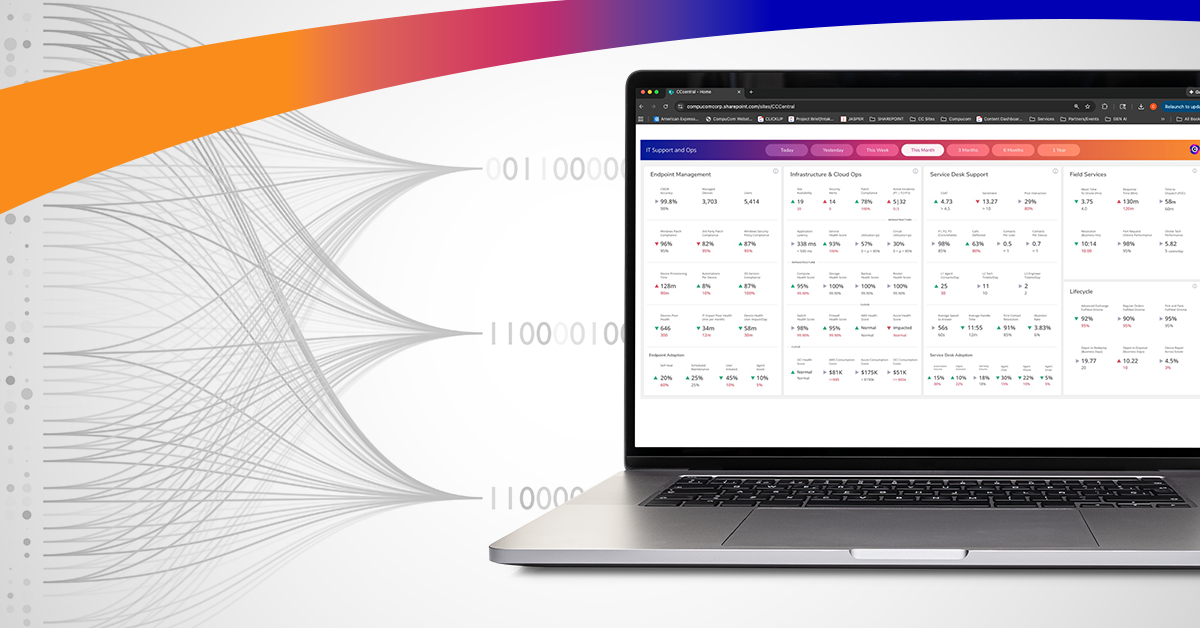
Compucom’s Full Lifecycle Observability (FLO) Framework helps enterprises optimize Mac management across procurement, deployment, configuration, support, and retirement. FLO uses AI-driven insights to drive smarter decision-making and proactive service improvements, ensuring Macs receive equal attention and tailored support throughout their lifecycle.
By combining best practices with Compucom’s expertise and FLO Framework, enterprises unlock the full potential of their Mac devices: better security, smarter management, and an exceptional employee experience.
Ready to make Mac work harder for your business?
https://www.compucom.com/mac-in-the-enterprise/
RecenT
The Mac Management Playbook: 8 Steps to Deployment at Scale
Full Lifecycle, Full Visibility: Maximizing the Value of Mac in the Enterprise

Mac in the Enterprise — Real Considerations for IT Leaders

Maturity Assessments Set a Clear Path to IT Modernization

Opportunity in Uncertainty: Leveraging Data for Fearless Decision-Making

Opportunity in Uncertainty: Turning 6 Top IT Challenges into Strategic Advantages
TOPICS
The Mac Management Playbook: 8 Steps to Deployment at Scale
- Device Lifecycle Services
- Apple
Emma Mak • Staff Writer
Mac adoption is accelerating across the enterprise. But as any seasoned IT leader will tell you, successful rollout isn’t about handing out sleek devices and hoping for the best. Success hinges on deploying, managing, and securing Mac devices at scale with precision and confidence — and doing it in a way that fits your organization’s unique needs.
Why Enterprises are Betting on Mac
Our recent survey uncovered a striking trend: 90% of enterprises now offer employees the freedom to choose between Mac and PC. Why? Because Mac delivers what modern work demands — powerful performance, rock-solid reliability, and security built into every layer.
Employees love Mac devices, finding them ideal for demanding applications and hybrid work flexibility. And when people feel empowered by their technology, productivity and engagement rise — benefiting the entire organization. The challenge? Scaling Mac adoption without adding complexity. That’s where proven strategies and the right expertise make all the difference.
The Playbook: Best Practices for Mac Deployment at Scale
Smart enterprises don’t wing it — they follow best practices. Here’s what works for a Mac roll out at scale:
1. Seamless Enrollment
Zero-touch provisioning is a game-changer for efficient, scalable Mac management. Using Apple Business Manager (ABM) and Automated Device Enrollment (ADE), devices arrive ready to work. Advanced configuration centers can pre-load settings, apps, and security profiles before shipping — saving time. Fast. Secure. Hassle-free.
2. Configuration Profiles & Policies
Compliance starts with control. Define and enforce encryption, password rules, and access policies tailored to your environment upfront. Apply device restriction profiles to safeguard data and limit access to sensitive features. Enforce security baselines consistently.
3. Application Management
Productivity hinges on efficient app deployment and updates. Use MDM solutions to distribute applications via macOS app packages or the Volume Purchase Program (VPP), ensuring employees have the tools they need. Automate updates to keep software current and secure with minimal manual intervention — so your teams always have the tools they need without IT firefighting.
4. Security & Compliance Configuration
Comprehensive security policies protect corporate data and minimize risk. Enforce FileVault encryption, firewall and Gatekeeper settings, and multi-factor authentication (MFA). Layer these protections with continuous monitoring and compliance reporting to stay audit-ready.
5. Continuous Monitoring & Reporting
Visibility is key to effective management of endpoints. Device compliance reports, custom security insights, and alerts for violations enable proactive risk mitigation.
6. Optimizing User Experience
A smooth onboarding experience drives adoption and reduces support dependency. Clear instructions, transparent policies, and self-service portals empower users to manage their devices, install apps, and access support resources. Training sessions for new-to-Mac employees accelerate proficiency and satisfaction.
7. Testing & Continuous Feedback
Pilot deployments and user feedback loops are critical for refining processes and optimizing the user experience. They help refine policies before full rollout. This iterative approach ensures a seamless transition.
8. Documentation & Training
Long-term success depends on accessible documentation and ongoing education. FAQs, troubleshooting guides, and IT training keep teams confident and prepared.
The Strategic Advantage of Lifecycle Management
Mac management goes way beyond the day-one setup — it must consider the entire lifecycle. From procurement and deployment to support and retirement, unified visibility and proactive insights make the difference between reactive firefighting and strategic IT management.
Empowering Employee Choice Without Compromise
Offering Mac choice doesn’t mean sacrificing control or security. With the right management tools and lifecycle services, organizations can confidently support Mac devices alongside PCs, ensuring compatibility with enterprise apps and robust security. Our recent internal survey shows that employees value the option to choose Mac, and most report a seamless experience with corporate applications and collaboration tools.
The Stategic Advantage of Mac + Compucom
Mastering Mac integration, management, and security/compliance requires a strategic approach grounded in best practices. Partnering with experienced providers like us ensures these best practices are not just theoretical but operationalized for real business impact.
Compucom’s Full Lifecycle Observability (FLO) Framework helps enterprises optimize Mac management across procurement, deployment, configuration, support, and retirement. FLO uses AI-driven insights to drive smarter decision-making and proactive service improvements, ensuring Macs receive equal attention and tailored support throughout their lifecycle.
By combining best practices with Compucom’s expertise and FLO Framework, enterprises unlock the full potential of their Mac devices: better security, smarter management, and an exceptional employee experience.
Ready to make Mac work harder for your business?
https://www.compucom.com/mac-in-the-enterprise/
Recent Blogs
The Mac Management Playbook: 8 Steps to Deployment at Scale
Full Lifecycle, Full Visibility: Maximizing the Value of Mac in the Enterprise
Mac in the Enterprise — Real Considerations for IT Leaders
Maturity Assessments Set a Clear Path to IT Modernization
Opportunity in Uncertainty: Leveraging Data for Fearless Decision-Making